Pascal / Legal
Bring the whole matter into the review.
Review contracts alongside the firm’s playbook and deal context. Trace an issue to its source, prepare proposed language, and give counsel a clear briefing.
For law firms, in-house counsel, and legal operations
Read the clause in its business context.
A contract records the agreement. A playbook describes the firm’s position. The deal team explains the commercial priorities. Pascal brings them into the same review.
One clause changes the signing decision.
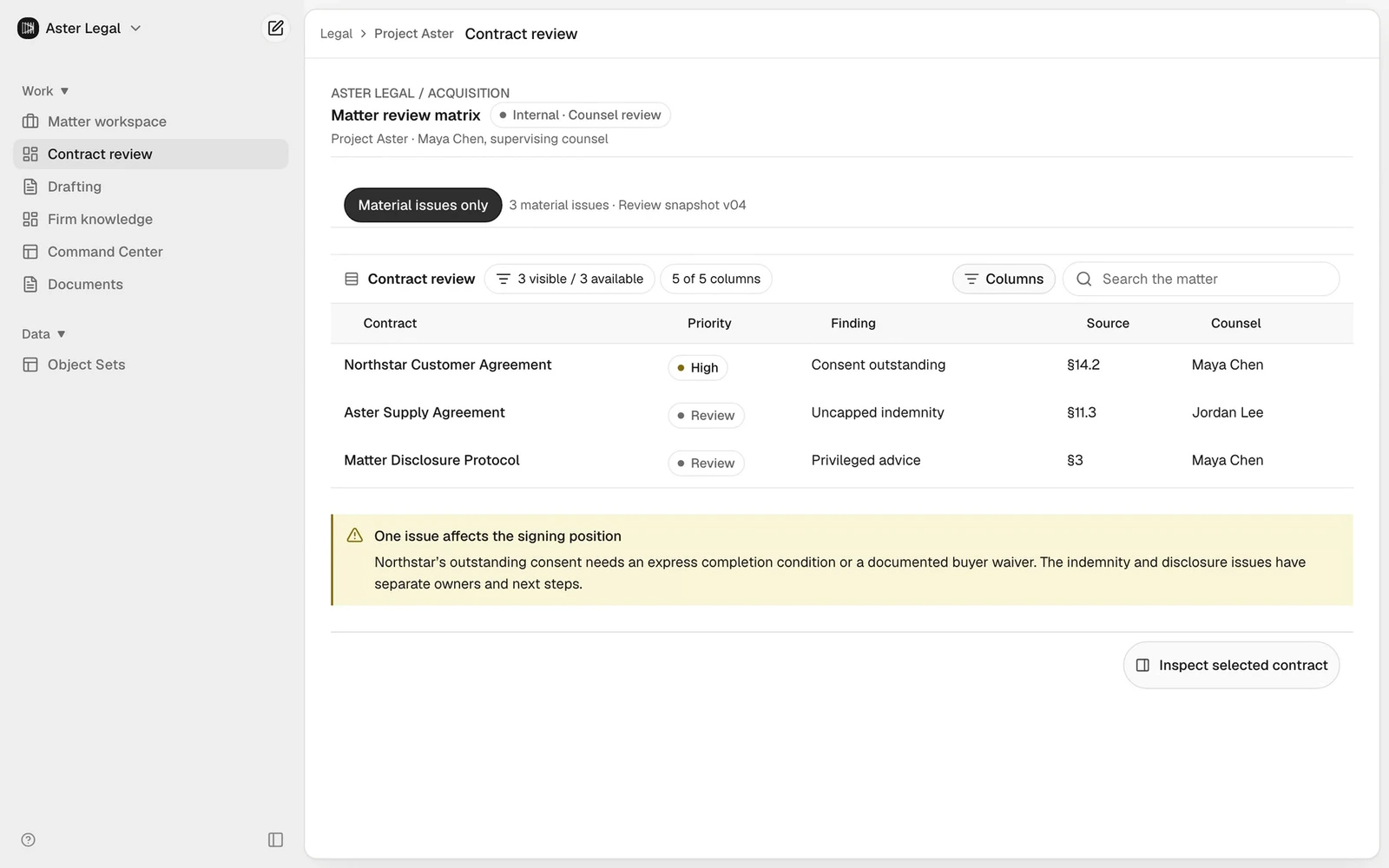
Project Aster is approaching signing. Across 24 matter records, three issues need attention: an outstanding customer consent, an uncapped indemnity, and privileged material in the delivery workflow.
Follow the consent issue from the review matrix to the exact contract clause. Apply the firm’s playbook, compare the proposed language, and prepare a partner briefing. Four purpose-built legal Work Surfaces carry the matter from evidence to advice.
- 01
24 records. Three decisions that matter.
Filter the matter to its material exceptions. Consent, indemnity, and disclosure each have a named owner and a concrete next step. Open any issue to inspect its evidence.
- 02
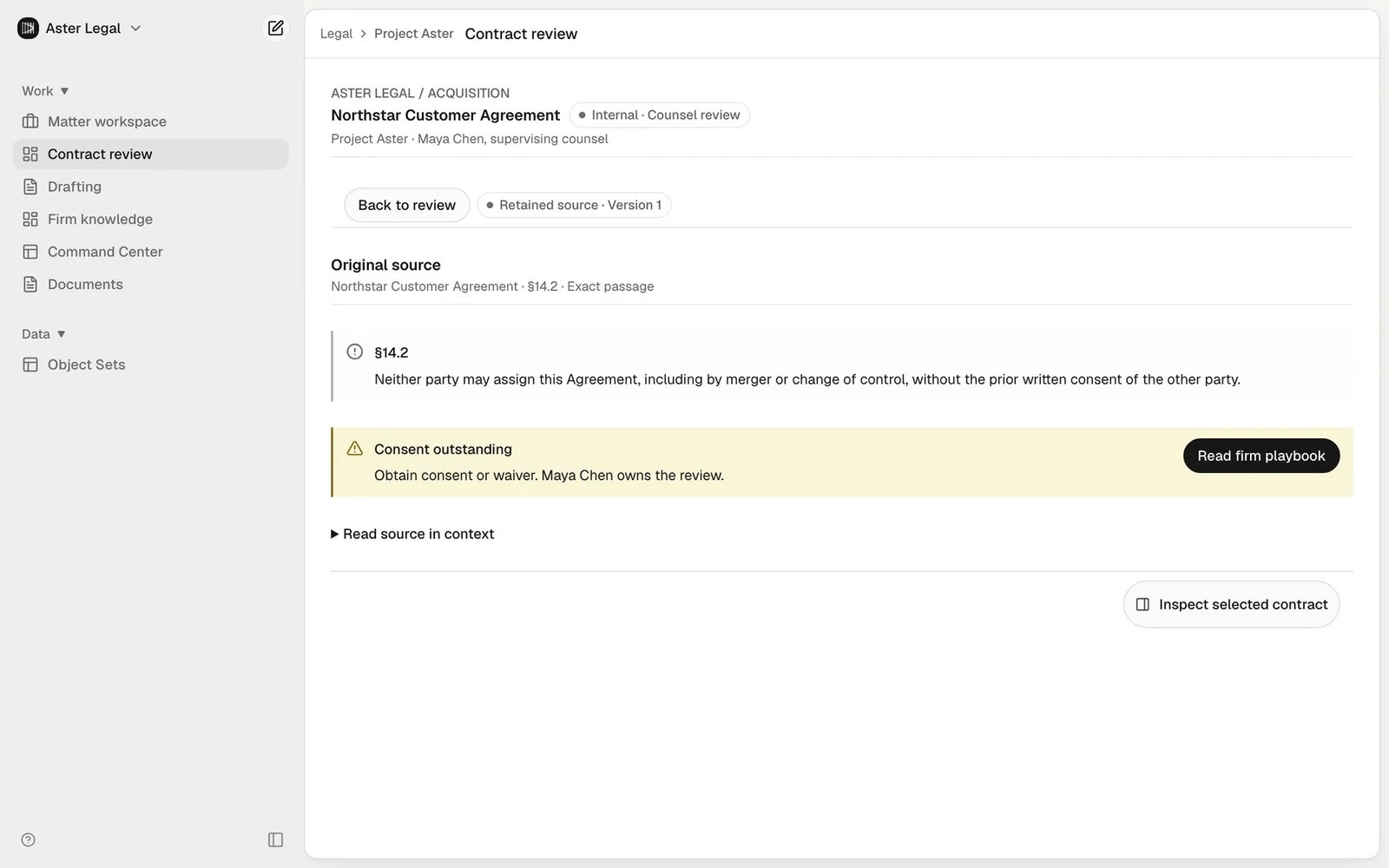
Read the clause that changes the position.
Northstar §14.2 requires prior written consent for a change of control. Open the exact passage, read it in context, and compare the firm’s preferred position before drafting.
- 03
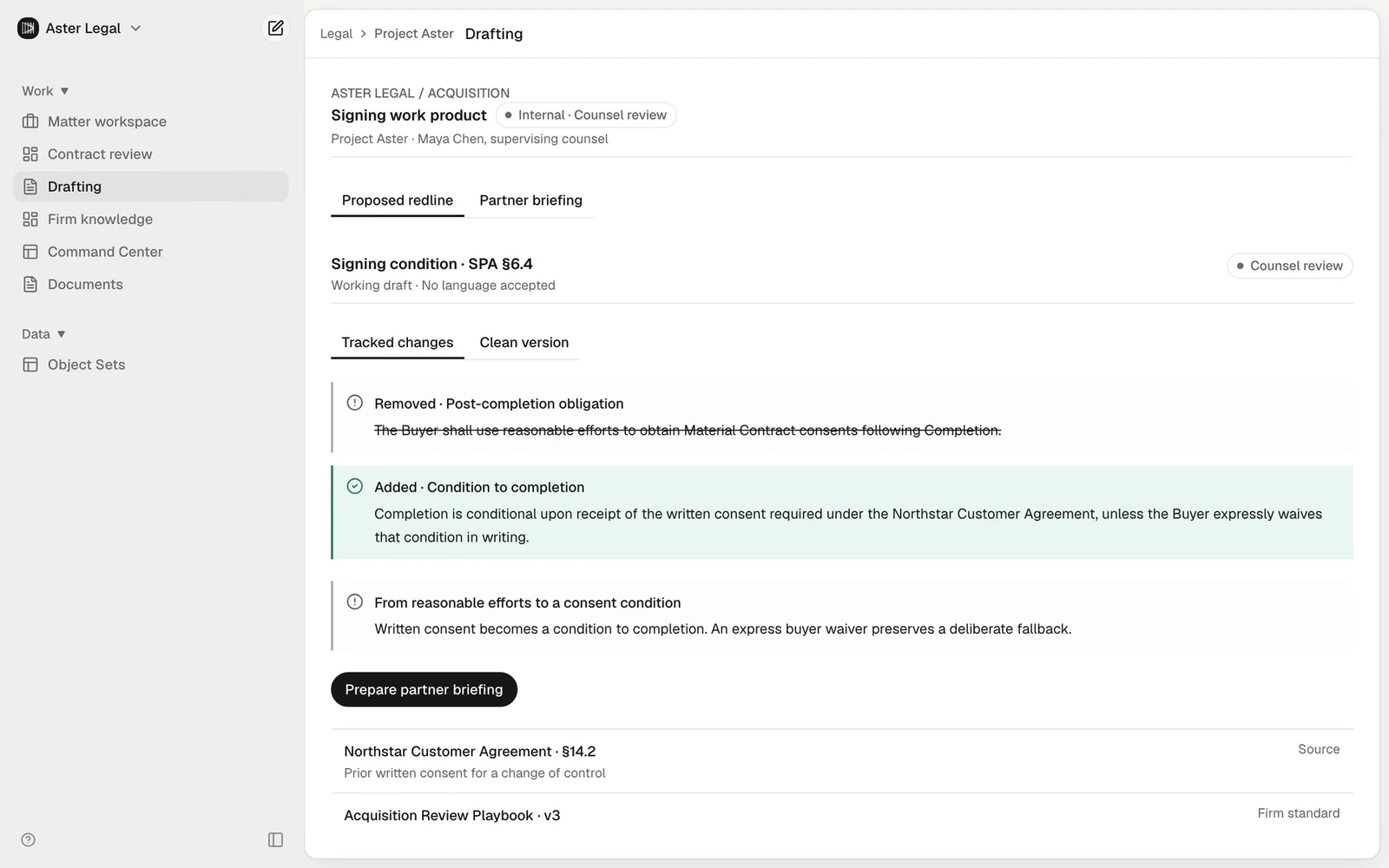
From a finding to a proposed redline.
Replace a post-completion reasonable-efforts obligation with an express consent condition. Inspect removed and added language, read the clean draft, and take the recommendation into the partner briefing.


A briefing counsel can review.
The partner has a review matrix, the source clause, a proposed signing condition, and a briefing. Each issue has an owner and a next step for counsel to assess.
The legal AI vision
Connect the legal
workflow.
Document intelligence
Read the matter. See the pattern.
Organize a matter’s contracts, correspondence, and exhibits. Extract clauses into review tables, compare provisions across documents, and follow a material exception back to its original wording. Keep the review connected as the document set changes.
Demonstrated in the Project Aster film
Potential workflows across the practice
Scope the workflow
around the matter.
Know what stands between the deal and the signature.
Diligence, deal-point analysis, consent tracking, disclosure schedules, and a closing issues list that stays connected to the documents.
Build the argument. Pressure-test the case.
Fact chronologies, discovery review, deposition preparation, research, and draft arguments with contradictory evidence kept in view.
Move at the speed of the business.
Contract intake, commercial review, regulatory change, board briefings, and clear escalation from business request to legal judgment.
Make the firm’s expertise compound.
Precedent libraries, approved playbooks, repeatable agents, and bespoke applications built around the way your practice works.
Work Surfaces + Studio
Build tools around
your legal workflow.
A matter workspace, a review matrix, a drafting desk, and a firm knowledge library: the walkthrough shows four Work Surfaces built around one legal workflow.
Extend that idea with Studio AI App Builder. Create a client portal, a contract risk explorer, or a closing application with your firm’s process built in. Review the application with your team before release.
Explore how Studio buildsA better front door for every matter.
Structured intake, document collection, and an owned next step.
The contract portfolio, made explorable.
Search clauses, compare exposure, and open the source.
A closing room that keeps the whole team aligned.
Conditions, owners, evidence, and the decisions still to make.
Assess the quality of the legal review.
Choose a representative matter and assess the work with your lawyers. Measure useful capacity, review quality, and the knowledge your team can reuse.
More time for judgment
Move from document gathering to a first draft your lawyers can assess.
Measure Time to a counsel-reviewed first draft
A more consistent review
Make the firm’s preferred position and every material exception visible.
Measure Material issues identified and validated by counsel
Expertise that carries forward
Carry approved language and lessons from this matter into the next one.
Measure Approved precedents and workflows reused
Your lawyers make the call.
The redline and briefing are drafts for counsel’s review. Nothing has been accepted, sent, filed, or signed. Specific integrations and licensed research sources require separate implementation and provider access.
Explore governanceConnect more of the legal workflow.
The broader vision includes research, drafting, practice workflows, and Studio applications for lawyers and clients. Scope each capability around the documents, tools, and review requirements of the practice.
01
Frame the matter
Set the question, transaction context, and review standard.
02
Trace the source
Read the original consent clause and compare it with the retained matter position.
03
Review the portfolio
Inspect the contract matrix and assign the material exceptions.
04
Prepare the language
Propose a redline and briefing using the firm’s playbook.
05
Keep counsel in control
Counsel reviews the draft and decides whether to accept language or authorize delivery.
Discuss a matter review workflow.
Bring a representative matter and your review playbook. We’ll discuss a first deliverable, its source requirements, and how your lawyers would review it.
- Your matter
- Representative documents, a defined legal question, and a useful first deliverable.
- Your standard
- Preferred positions, fallback language, source requirements, and the supervising reviewer.
- Your working system
- A scoped implementation, agreed integrations, and a measured review with the people who will use it.